The product owner leads the design.
The owner controls the requirements and design decisions. The manufacturer contributes the agreed process, transfer and execution evidence.
 EquatorOps
Medical device companies & manufacturers
A device program spans engineering, quality, manufacturing and distribution. Give those teams a connected record of what is required, what changed, and what supports the next decision.
For device company leaders, engineering and quality teams, and contract manufacturing partners, including teams working on Class II devices.
01 / Start with the device
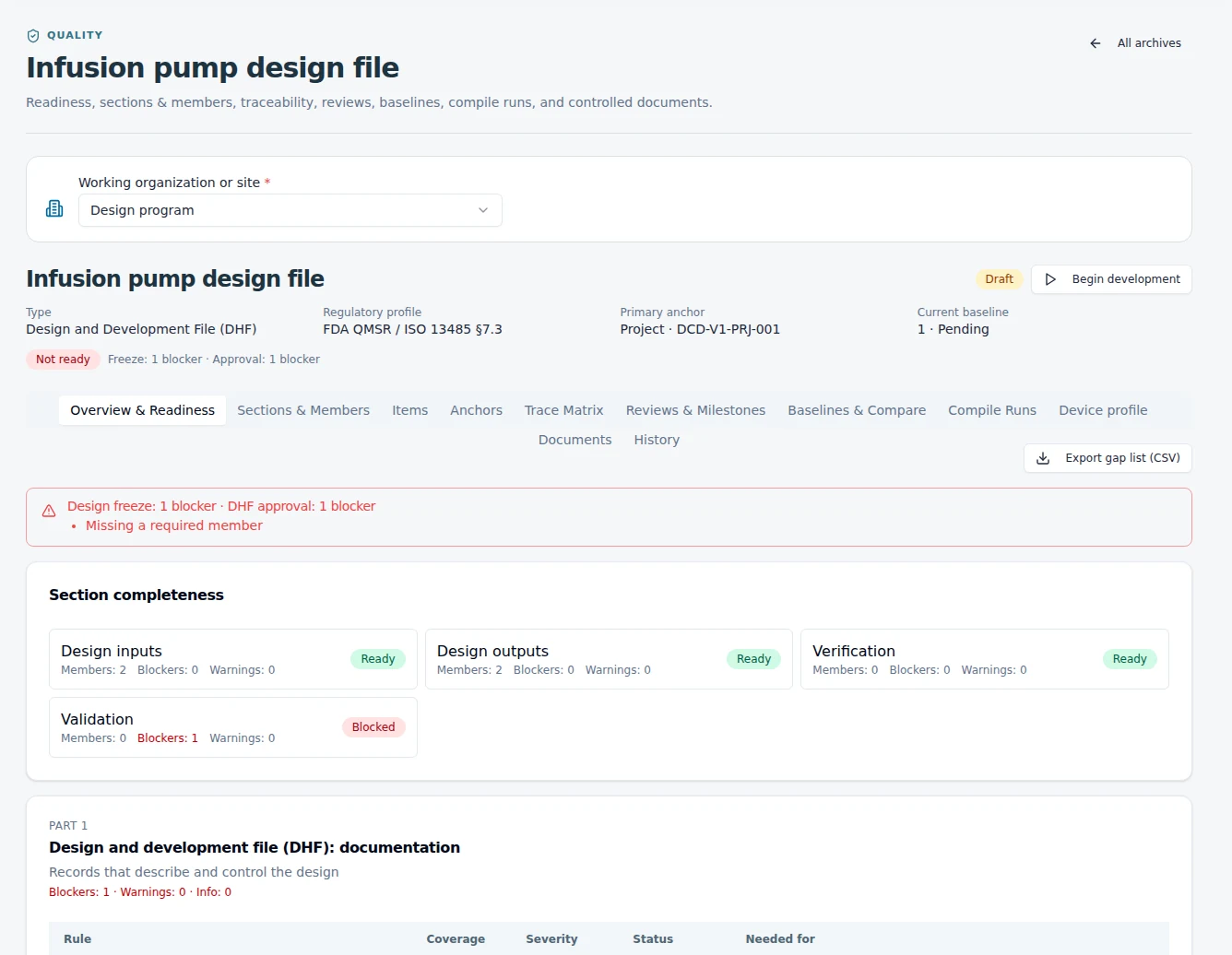
Connect the user need to a design input, the input to its output, and the output to the evidence that evaluates it. Keep risk controls and review decisions alongside those relationships as the product develops.
Record requirements, acceptance criteria and responsibility for the design work.
Link specifications, drawings, risk assessments and the controls that address them.
Review verification and validation records, trace gaps and outstanding work.
Bring the applicable evidence into review and retain the approved baseline.
02 / Establish responsibility
Who owns the design depends on the product and commercial arrangement. Establish the file ownership, shared interface and approval responsibilities before asking two companies to use the same workflow.
The owner controls the requirements and design decisions. The manufacturer contributes the agreed process, transfer and execution evidence.
The factory retains its platform and process records. The shared program specifies the configuration, changes, evidence and responsibilities the parties need to coordinate.
Separate the base platform from customer-specific requirements and approvals. Connect dependencies without assuming the companies own the same files.
These are implementation patterns. Access and approval authority follow the responsibilities agreed for your program.
03 / Keep the program connected
Connect a proposed component or specification revision to the affected product records, evidence and reviewers. Examine the implications before approving the change.
Follow a proposed change →Maintain controlled instructions and connect roles to training requirements. Keep the revision, acknowledgement and relevant evidence available for review.
Explore controlled documents →Define the assessment, collect observations and assign corrective work. Review the response and supporting evidence in the quality record.
Explore custom audits →Carry lot, quality-state and release context into receiving, inventory and outbound activity. Follow the record when a question spans several teams.
Explore warehouse operations →04 / Plan a practical starting point
Yes. The initial work is to identify the current records, their owners and revisions, and the relationships needed for the first workflow. Configuration and any migration or integration are scoped around that starting point.
The shared workflow can focus on the records and decisions that cross the company boundary. Determine which system owns each record and which approved information needs to be exchanged during implementation.
It identifies a condition against configured requirements, such as missing evidence or an incomplete trace. Qualified reviewers determine applicability, assess the evidence and authorize the decision. Software does not establish regulatory compliance on its own.
EquatorOps provides the software. Implementation establishes the working process and access model. AsianOPS can provide separately scoped engineering, supplier-quality or program support where that expertise is part of the engagement. Explore AsianOPS cross-company quality services →
Start with your workflow
Tell us about the product, the participating companies and the milestone ahead. We will use those details to frame a relevant product walkthrough.
Discuss your device program