 01 / GUIDED WORKFLOW
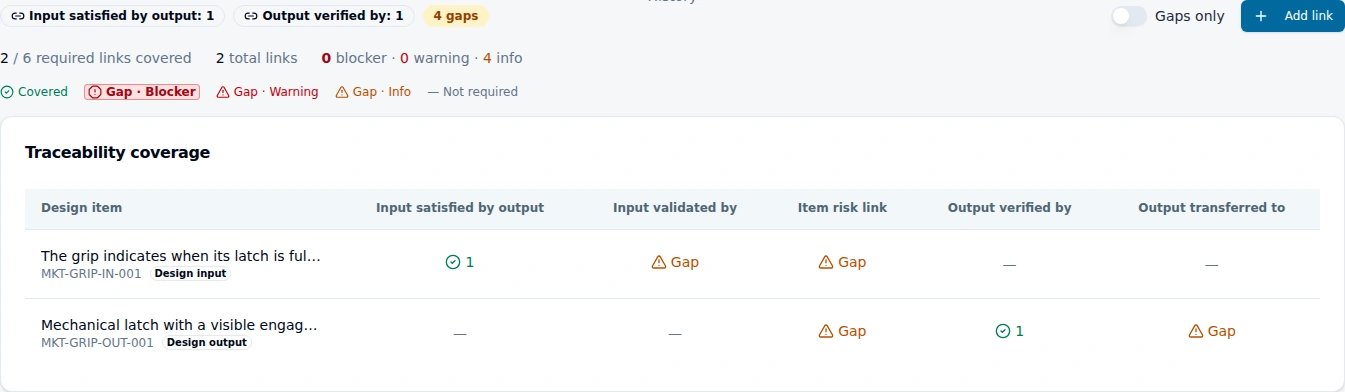
From requirement to design review
See how a design and development file connects the intended result, the design response, the supporting evidence and the next review decision.
Explore the tour → EquatorOps
See it in action
Start with a requirement, a change, a receipt or an audit finding. These guided tours show the people, records and decisions involved in a connected workflow.
Open demonstrations with actual application views and explanatory examples. No registration required.
01 / GUIDED WORKFLOWSee how a design and development file connects the intended result, the design response, the supporting evidence and the next review decision.
Explore the tour →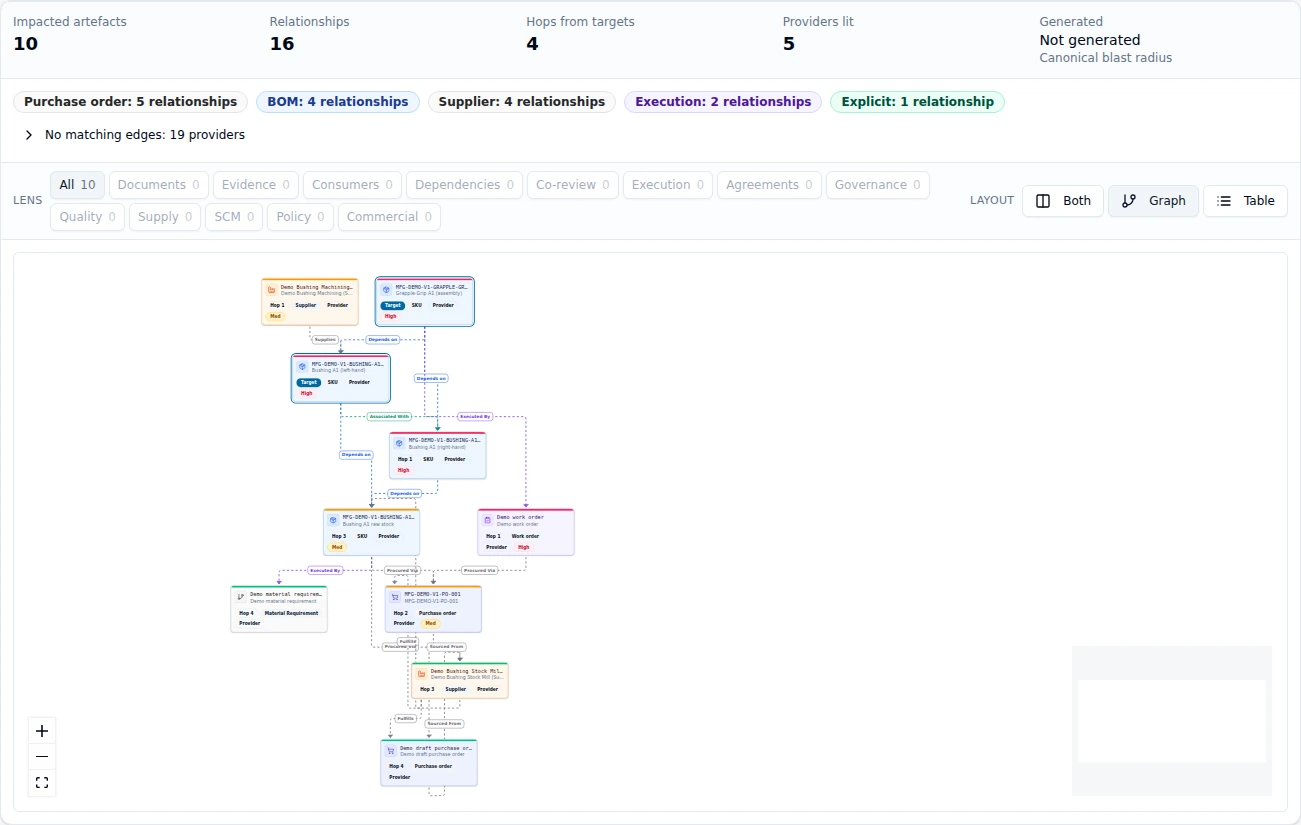 02 / GUIDED WORKFLOW
Connect the proposed scope, affected records, alternative responses and evidence needed for an approval decision.
Explore the tour →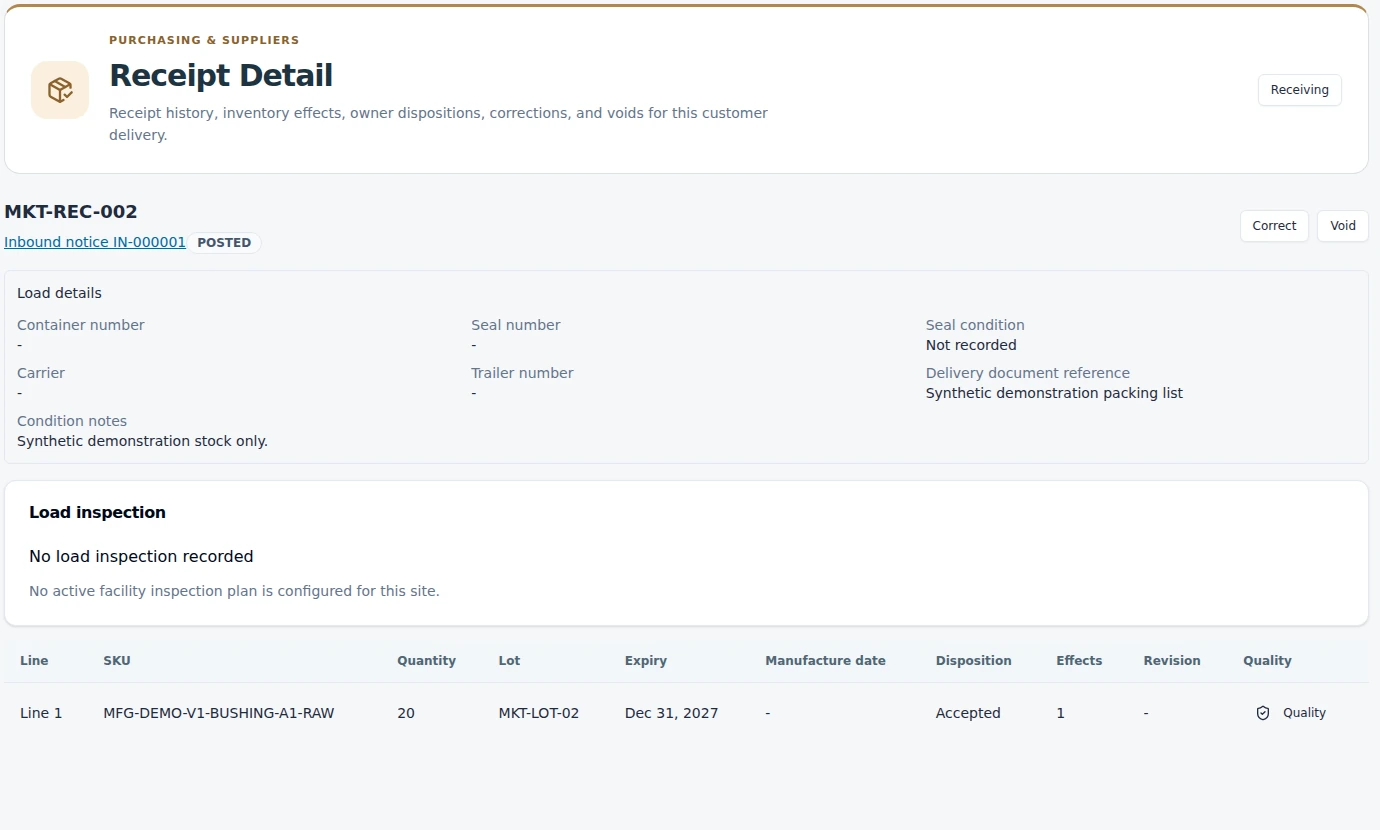 03 / GUIDED WORKFLOW
Follow a posted receipt, a signed quality-hold release and an actual shipment-readiness check that makes the remaining conditions visible.
Explore the tour →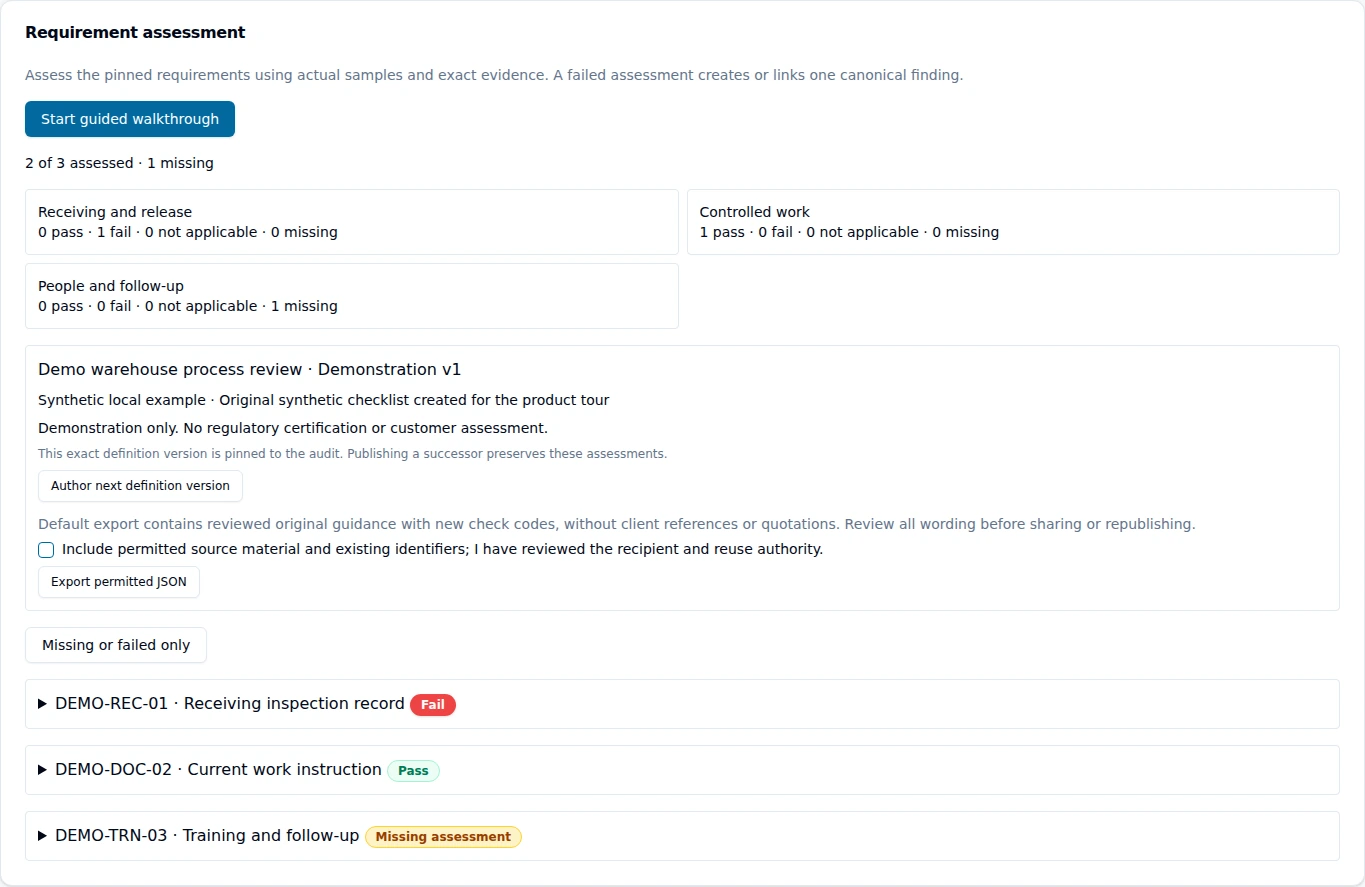 04 / GUIDED WORKFLOW
See how assessment requirements, observations, assigned responses and supporting evidence form a connected quality workflow.
Explore the tour →Start with your workflow
Choose the process that matters to your team. We will connect the product demonstration to your records, responsibilities and next decision.
Request a walkthrough